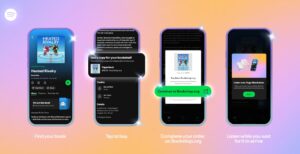
Music, podcasts, and audiobooks can now be shared directly from Spotify to TikTok, and songs can be saved to Spotify from Instagram with one simple tap.
You can now post to the TikTok Feed (FYP or Stories) by sharing tracks, albums, playlists, podcasts, or audiobooks using TikTok’s green screen feature or Photo Mode.
DMs via TikTok Messages allow you to send friends your favourite Spotify music, podcasts and audiobooks.
You can access the music, podcasts, and audiobooks shared on TikTok by tapping the link to go directly to Spotify.
When listening to music, podcast, or audiobook, tap “…” and hit “Share” – or, when in Now Playing view, you can tap the share icon in the bottom-right corner. You can then share to DMs via TikTok Messages or TikTok directly to FYP and Stories.
This new feature complements Spotify’s existing TikTok integration that allows users to easily save songs directly to Spotify from TikTok, and now it can be done on iOS and Android.
To save songs to Spotify from Instagram with one simple tap:
- Make sure your Spotify and Instagram apps are updated.
- When scrolling through Instagram, tap on the song you like, and it will take you to the song’s audio page on Instagram. Tap the “Add” button to link your account (only needed the first time), and then the song is saved directly to Spotify.
- You’ll find your newly saved tracks in your Liked Songs playlist in Your Library on Spotify.
- Spotify and Instagram users on Android and iOS can access this experience.
Spotify says: “We know our listeners crave a seamless listening experience across all of their devices, platforms, and apps, and our ambition is to be accessible everywhere our listeners are. This expands on our existing Save feature with TikTok, along with other social sharing integrations across Meta, Snapchat, X, TikTok, and more.
“Going forward, we’ll continue to introduce new features and integrations that connect artists and creators with millions of fans across the globe, so stay tuned.”